Video: Do we have your file? ECU file check in 1 second
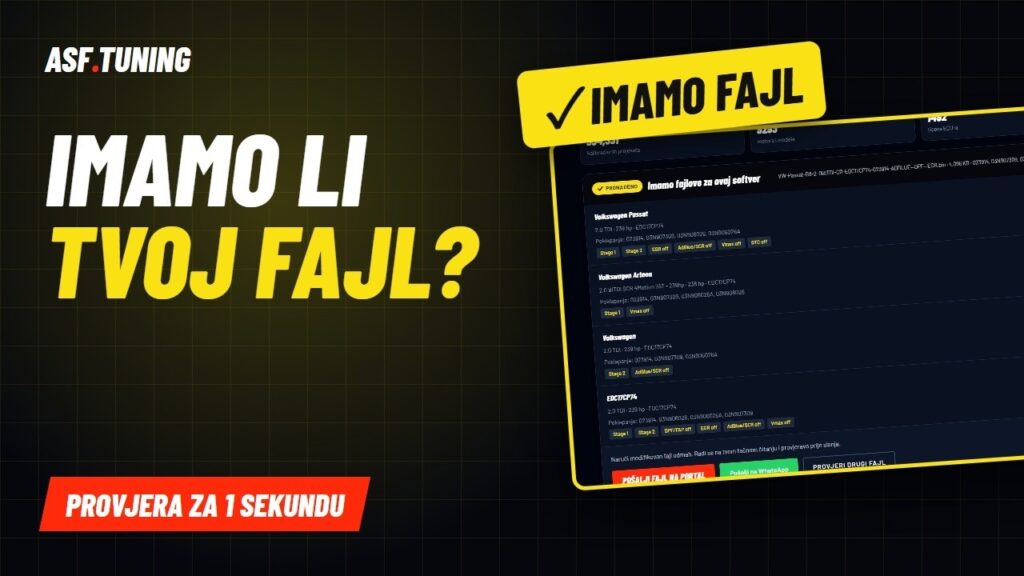
“Do you have a file for this?” – we get that question every day. Now you can get the answer yourself, in one second and for free. Drag the original ECU read (BIN / ORI) onto our page and instantly see which car it is, which ECU, and what we already have for that software. In this video we show step by step how the check works and what each result means.
The video is on our YouTube channel @asftuning – subscribe, new tutorials every week.
Chapters – jump to the part you need
0:00Intro0:33Why we built the check1:35How to read the original2:33The check step by step4:59What the results mean6:52SW and HW numbers7:36How to order a file8:38Your file stays with you9:14Tips from the workshop9:48Try it nowWhy we built the check
Until now it went like this: a tuner reads the ECU, sends us a message, we search the archive and reply whether we have a file. That takes time, and often you wait just to hear “yes” or “no”. So we turned our workshop archive of 334,331 calibration projects into a check you can run yourself, any time, in one second.
How it works – step by step
- 1. Read the original – via OBD or on the bench, depending on the ECU and the tool (Flex, KESS3, Autotuner…). It is important that it is the original read, not an already modified file.
- 2. Drag the file (BIN / ORI) into the “Check your file” box on asftuning.com.
- 3. In one second you see the car, engine, ECU type and the SW/HW numbers we recognised in the file.
- 4. See what we have for that software – Stage 1, Stage 2, Vmax, DTC and software solutions.
- 5. Order the file with one click via the portal or WhatsApp. The file arrives in 5–60 minutes.
What the results mean
| The result | What it means for you |
|---|---|
| Found | Exactly that software is in our archive – the file is ready and arrives fastest. |
| Similar | We have the same engine and ECU with a close software – the file is made for your version. |
| Known ECU | The ECU is recognised, the software is new to us – send the original and we will do it. |
| None | We did not recognise the file – contact us on WhatsApp and we will check it manually. |
The most important data are the SW and HW numbers. The same engine with the same name can have dozens of software versions, and the maps are not in the same place in each one. That is why a file always goes to your exact software version – never a generic file “for a 1.6 HDi”.
Your file stays with you
The check runs in your browser. The file is not sent anywhere – not to us, not to any server. The page only reads the numbers from the file and compares them with our index. You send us the file only when you decide to order.
Tips from the workshop
- Always save the original before any write – in two places.
- Do not send an already modified file as the original – the check and the file must be based on the factory software.
- Mind the software, not the car name. Two identical cars can have different software – a file from one does not go directly onto the other.
- Checksum must be corrected before writing – our files arrive ready to write.
Watch our previous video guides as well: Stage 1 or Stage 2, How much HP a motorcycle gains with a map and tuningmap.com – engine and ECU database. Read more about how we make files on the page Chiptuning file service.
Check your file now
Drag the original and in one second you know whether we have a file for your software. Free, no registration.
Check your fileFile portalWhatsApp +382 69 609 609Subscribe on YouTube
English version of the file check: tuningmap.com/check-your-file